
Process mapping turns complex workflows into clear, visual diagrams that anyone can follow. Whether you are onboarding new employees, streamlining operations, or preparing for automation, having the right process map template saves hours of guesswork.
Here are 10 real-world process mapping examples across common business functions, along with practical guidance on creating your own.
What Is a Process Map?
A process map is a visual diagram that shows the steps, decisions, and flow of a business workflow from start to finish. It uses standard symbols to create a shared understanding of how work gets done: rectangles for tasks, diamonds for decisions, and arrows for flow direction.
Process maps serve multiple purposes: training new employees, identifying inefficiencies, standardizing operations, and preparing workflows for automation. The best process maps are simple enough for anyone to understand at a glance.
10 Process Mapping Examples by Business Function
1. Employee Onboarding
Departments involved: HR, IT, hiring manager
Key steps:
- HR sends offer letter and collects signed documents
- IT provisions email account, laptop, and software access
- HR schedules orientation and compliance training
- Hiring manager assigns onboarding buddy and creates 30-60-90 day plan
- Employee completes required training modules
- Week 1 check-in with HR and manager
- 30-day review and feedback session
Decision points: Background check pass/fail, remote vs. in-office setup, role-specific training requirements.
Automation opportunity: Document collection, account provisioning, training assignment, and check-in scheduling can all be automated, reducing onboarding time by 40 to 60 percent.
2. Customer Support Ticket Resolution
Departments involved: Support, engineering, product
Key steps:
- Customer submits ticket via email, chat, or portal
- System auto-categorizes and assigns priority level
- Tier 1 agent reviews and attempts resolution
- If unresolved, escalate to Tier 2 or engineering
- Root cause identified and fix applied
- Customer notified and asked to confirm resolution
- Ticket closed and satisfaction survey sent
Decision points: Priority level assignment, self-service deflection, escalation criteria, SLA breach handling.
Automation opportunity: AI can handle initial categorization, suggest knowledge base articles, draft responses for common issues, and auto-close resolved tickets.
3. Invoice Processing (Accounts Payable)
Departments involved: Finance, procurement, department heads
Key steps:
- Invoice received (email, mail, or portal)
- Data extracted: vendor, amount, PO number, line items
- Three-way match: invoice vs. purchase order vs. receiving report
- Discrepancies flagged for manual review
- Approval routing based on amount thresholds
- Payment scheduled according to terms
- Record posted to general ledger
Decision points: Match or no-match, approval thresholds at various amounts, payment method selection, early payment discount eligibility.
Automation opportunity: One of the highest-ROI automation targets. AI can extract invoice data via OCR, perform matching, route approvals, and schedule payments with minimal human intervention.
4. Sales Lead Qualification
Departments involved: Marketing, sales development, account executives
Key steps:
- Lead captured from website form, event, or inbound request
- Lead scored based on firmographic and behavioral data
- Marketing qualifies as MQL or nurtures further
- SDR conducts outreach and discovery call
- Lead qualified as SQL or disqualified with reason
- SQL assigned to account executive
- AE conducts demo or proposal
Decision points: Lead score threshold, company size fit, budget confirmation, timeline urgency, competitive situation.
Automation opportunity: Lead scoring, initial outreach sequencing, CRM data enrichment, and meeting scheduling are well-suited for AI automation.
5. Content Approval Workflow
Departments involved: Marketing, legal, compliance, executive
Key steps:
- Content creator drafts asset (blog, social post, ad copy)
- Editor reviews for quality and brand voice
- Subject matter expert validates accuracy
- Legal or compliance reviews for regulatory requirements
- Final approver signs off
- Content scheduled for publication
- Post-publication performance tracking begins
Decision points: Content type determines review path, regulated industry adds compliance review, executive approval needed for external press.
Automation opportunity: AI can perform initial grammar and brand voice checks, route to the right reviewers based on content type, send automated reminders, and flag potential compliance issues.
6. Software Bug Reporting and Resolution
Departments involved: QA, engineering, product management
Key steps:
- Bug reported with steps to reproduce, expected vs. actual behavior
- QA triages: confirms reproduction, assigns severity
- Product manager prioritizes against backlog
- Developer investigates and creates fix
- Code review and QA verification
- Fix deployed to staging, then production
- Reporter notified, ticket closed
Decision points: Severity classification (critical, major, minor), sprint inclusion vs. backlog, hotfix vs. scheduled release.
Automation opportunity: Duplicate detection, automatic severity classification, test environment provisioning, and deployment pipeline triggers.
7. Purchase Order Approval
Departments involved: Requesting department, procurement, finance, management
Key steps:
- Requester submits purchase request with justification
- Budget check against department allocation
- Manager approval (or multi-level based on amount)
- Procurement verifies preferred vendor or conducts sourcing
- PO generated and sent to vendor
- Goods or services received and verified
- Invoice matched and payment processed
Decision points: Budget availability, approval hierarchy by amount, preferred vendor availability, sole-source justification requirements.
Automation opportunity: Budget validation, approval routing, PO generation, and vendor communication can be largely automated.
8. Monthly Financial Close
Departments involved: Accounting, FP&A, department heads, external auditors
Key steps:
- Cut off period transactions at month end
- Reconcile bank statements and sub-ledgers
- Post accruals, deferrals, and adjustments
- Review intercompany transactions
- Generate trial balance and financial statements
- Variance analysis against budget and prior period
- Management review and sign-off
- Reporting package distributed
Decision points: Materiality thresholds for adjustments, reclass requirements, variance explanations needed.
Automation opportunity: Reconciliation matching, accrual calculations, variance flagging, and report generation are high-value automation targets that can reduce close time from 10+ days to under 5.
9. Customer Onboarding (B2B SaaS)
Departments involved: Sales, customer success, implementation, support
Key steps:
- Contract signed, account created in CRM
- Customer success manager assigned and intro call scheduled
- Technical requirements gathered and implementation plan created
- Account provisioned and integrations configured
- Admin training conducted
- End-user training and rollout
- Go-live and 30-day health check
Decision points: Implementation complexity (self-serve vs. guided vs. custom), training format (live vs. recorded), integration scope.
Automation opportunity: Account provisioning, training scheduling, progress tracking, health score monitoring, and proactive outreach triggers.
10. IT Access Request
Departments involved: Requesting employee, manager, IT security, system administrators
Key steps:
- Employee submits access request specifying system and permission level
- Manager approves business justification
- IT security reviews against role-based access policies
- Access provisioned in target system
- Employee notified with access instructions
- Periodic access review (quarterly or annual)
- Access revoked upon role change or departure
Decision points: Privileged access requires additional approval, SOX-regulated systems need compliance sign-off, temporary vs. permanent access.
Automation opportunity: Role-based auto-provisioning, approval routing, access reviews, and automatic deprovisioning upon termination are common automation wins.
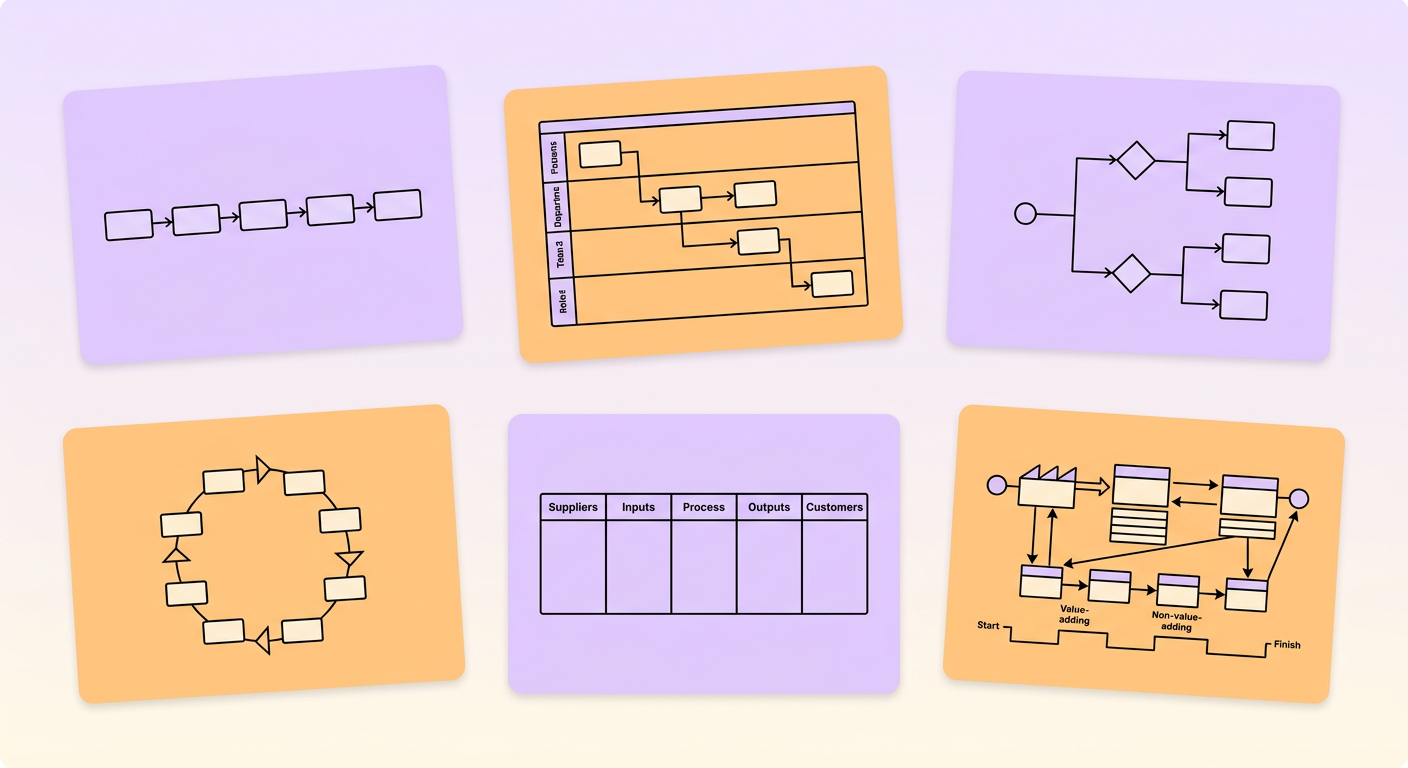
Types of Process Maps
Different process map formats serve different purposes:
- Flowcharts — The simplest format. Linear sequence of steps with decision points. Best for straightforward processes with minimal branching.
- Swimlane diagrams — Adds role or department lanes to show who does what. Ideal for cross-functional processes where handoffs matter.
- Value stream maps — Includes time and value data at each step. Used in lean methodology to identify waste and optimize throughput.
- SIPOC diagrams — High-level view showing Suppliers, Inputs, Process, Outputs, and Customers. Great for scoping before detailed mapping.
- Detailed process maps — Comprehensive documentation including every sub-step, system interaction, and exception path. Required for automation implementation.
How to Create Your Own Process Map
- Define the scope — Where does the process start and end? What is included and excluded?
- Walk the process — Observe or interview people who actually do the work. Do not rely on documentation alone.
- Draft the happy path first — Map the standard, most common flow before adding exceptions.
- Add decision points and branches — Include the scenarios that create alternative paths.
- Note time, tools, and pain points — Annotate each step with practical details.
- Validate with stakeholders — Review the map with the team to catch what you missed.
- Keep it alive — Update maps when processes change. Outdated maps are worse than no maps.
From Process Map to Automation
Process maps are the starting point for any automation initiative. Once you have clear, validated maps, you can identify which steps are candidates for AI automation, RPA, or workflow orchestration.
The key is to simplify and standardize your processes first, then automate. A process map that reveals unnecessary complexity is doing its job, showing you what to fix before investing in technology.


