
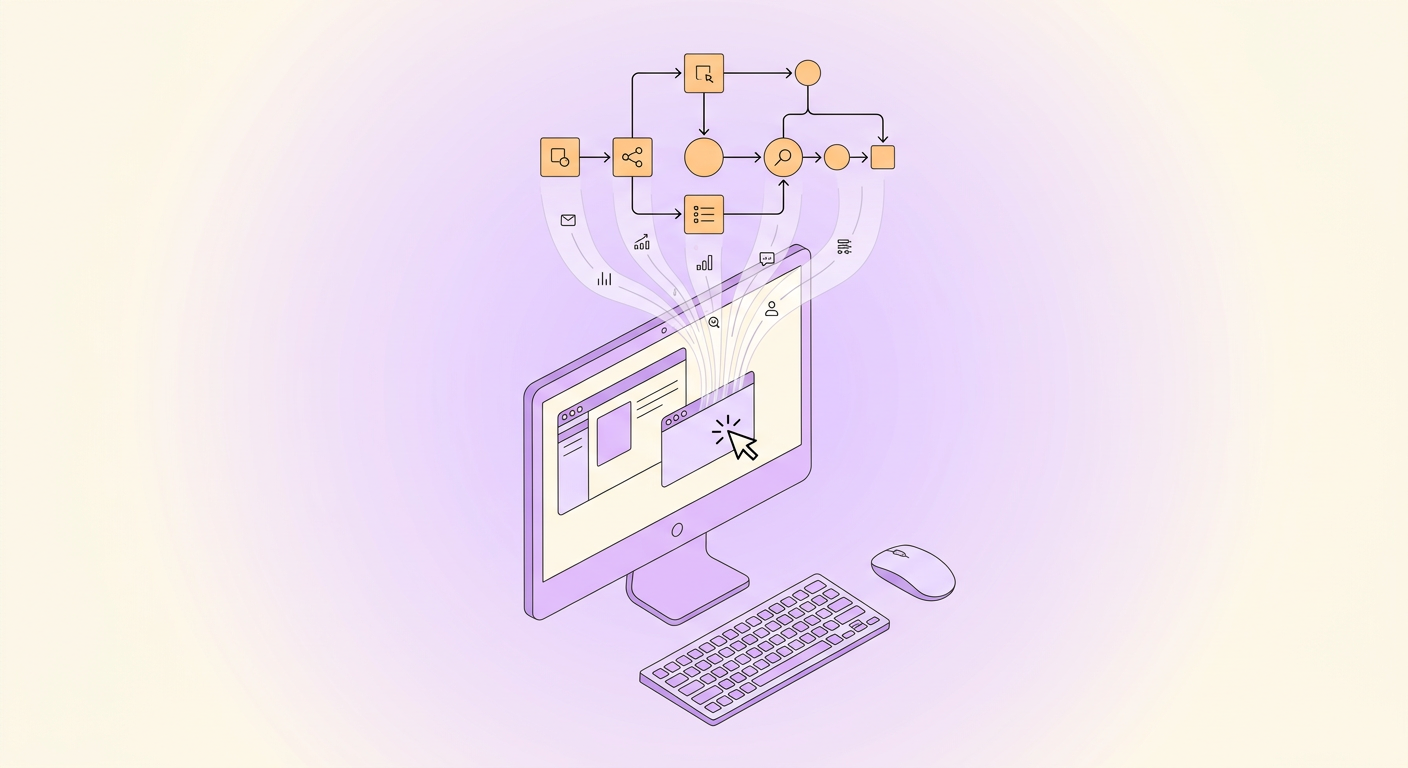
Task mining is a technology that automatically captures and analyzes how employees interact with desktop applications to create detailed maps of real business workflows. Instead of relying on interviews and observations, task mining software records clicks, keystrokes, and screen interactions to reveal how work actually gets done.
This guide covers what task mining is, how it works, how it compares to process mining, and when it makes sense to use it.
Task Mining Defined
Task mining is a subcategory of process intelligence that focuses on user-level desktop activity. While process mining analyzes system event logs to understand how data flows through enterprise applications, task mining watches what humans do on their screens between those system events.
Think of it this way: process mining sees that an invoice was received in the ERP system and later marked as approved. Task mining sees the 14 steps the accounts payable clerk took in between: opening the email, downloading the PDF, switching to the ERP, copying the invoice number, looking up the PO, comparing amounts, checking the budget in a spreadsheet, and so on.
This granular visibility is what makes task mining valuable for automation projects. You cannot automate desktop work if you do not understand it, and most organizations do not understand it nearly as well as they think.
How Task Mining Works
Task mining platforms typically follow a four-stage process:
1. Data Collection
A lightweight agent is installed on employee desktops with their knowledge and consent. The agent records user interactions: mouse clicks, keyboard inputs, application switches, URLs visited, and screen content. Modern platforms anonymize sensitive data in real time, masking personal information, financial data, and passwords before anything is stored.
2. Activity Recognition
AI algorithms analyze the recorded interactions to identify distinct tasks and group related actions. For example, the software recognizes that opening an email, downloading an attachment, and entering data into an ERP form are all part of a single invoice processing task rather than three unrelated actions.
3. Process Map Generation
The platform aggregates data across multiple users and sessions to create process maps that show the most common task sequences, variations, and exceptions. These maps reflect how work actually happens, including the workarounds, shortcuts, and inefficiencies that do not appear in formal documentation.
4. Analysis and Recommendations
Advanced task mining tools analyze the discovered processes to identify automation candidates, calculate potential time savings, and recommend specific technologies (RPA, AI, workflow automation) for each step.
Task Mining vs Process Mining
Task mining and process mining are complementary technologies that operate at different levels:
- Process mining analyzes system logs (ERP, CRM, ticketing systems) to understand process flows at the transaction level. It shows what happened in the system: order created, invoice generated, payment recorded.
- Task mining analyzes user behavior on the desktop to understand what happens between system events. It shows the human work: copy data from email, paste into spreadsheet, calculate totals, enter into ERP.
Process mining is better for understanding end-to-end process compliance and bottlenecks across enterprise systems. Task mining is better for understanding the detailed human work that happens within and between those systems.
Many organizations use both: process mining to identify which processes have problems, and task mining to understand exactly what employees are doing within those processes.
Benefits of Task Mining
Objective Process Discovery
Traditional process discovery relies on interviews and workshops. People describe what they think they do, which often differs from reality. Task mining captures what actually happens, eliminating guesswork and subjective bias.
Speed and Scale
Manual process discovery takes weeks or months per process. Task mining can capture and analyze dozens of processes simultaneously, with initial insights available in as little as two weeks.
Hidden Inefficiency Detection
Task mining reveals patterns that people do not even realize exist: unnecessary application switching, redundant data entry, inconsistent methods across teams, and workarounds that add significant time.
Automation ROI Calculation
Because task mining captures precise time data for each step, it provides accurate inputs for automation business cases. Instead of estimating that invoice processing takes about 15 minutes, you know the exact average with breakdowns showing where time is spent on data re-entry between systems.
Common Use Cases
Automation Pipeline Building
The most common use case. Organizations use task mining to build a prioritized list of automation opportunities with accurate time-savings estimates and technical requirements.
Process Standardization
When the same process is performed differently across teams, offices, or regions, task mining reveals the variations. This data helps organizations standardize on the most efficient approach before automating.
System Migration Planning
Before migrating to a new ERP, CRM, or other enterprise system, task mining documents exactly how employees use the current system, including the workarounds and customizations that might not survive the migration.
Compliance and Audit
Task mining can verify that employees follow prescribed procedures, flag deviations, and provide evidence for compliance audits without relying on self-reported data.
Task Mining Software
The task mining market includes both specialized vendors and features within broader automation platforms:
- Specialized task mining platforms like Mimica and Skan focus exclusively on desktop activity capture and analysis, offering deeper AI-powered insights and recommendations.
- Automation platform features like UiPath Task Mining and Celonis Task Mining are built into broader automation suites, offering tighter integration with their respective RPA and process mining tools.
- Process documentation tools like Gralio capture processes through guided walkthroughs and AI analysis, offering a lighter-weight approach that works well for teams that do not need full desktop monitoring.
Choosing between these approaches depends on your organization size, budget, privacy requirements, and whether you need always-on monitoring or point-in-time discovery.
When You Need Task Mining (and When You Do Not)
Task mining makes sense when:
- You have large teams (50+ people) performing similar desktop-based work
- You suspect significant process variation across teams or locations
- Your existing process documentation is outdated or incomplete
- You need hard data to build business cases for automation investment
- You are planning a major system migration or digital transformation
Task mining may be overkill when:
- Your team is small enough to observe directly
- Your processes are already well-documented and standardized
- The processes you want to automate do not involve significant desktop work
- Privacy regulations or employee relations make desktop monitoring impractical
For smaller teams or specific processes, simpler approaches like guided walkthroughs, screen recordings, or AI-assisted documentation tools can provide the process visibility you need without the overhead of enterprise task mining.


